Build & Price Your Goblin V2
Written by Adam Doyle on Jun 16, 2026
The Build & Price tool for the Goblin V2 is live, and with it we're putting prices on a lot of options for the first time.
Up to now we've talked about the V2's options without putting numbers next to most of them. That changes today. You can now configure a full build, see what every option costs, and watch the total update live as you make your picks.
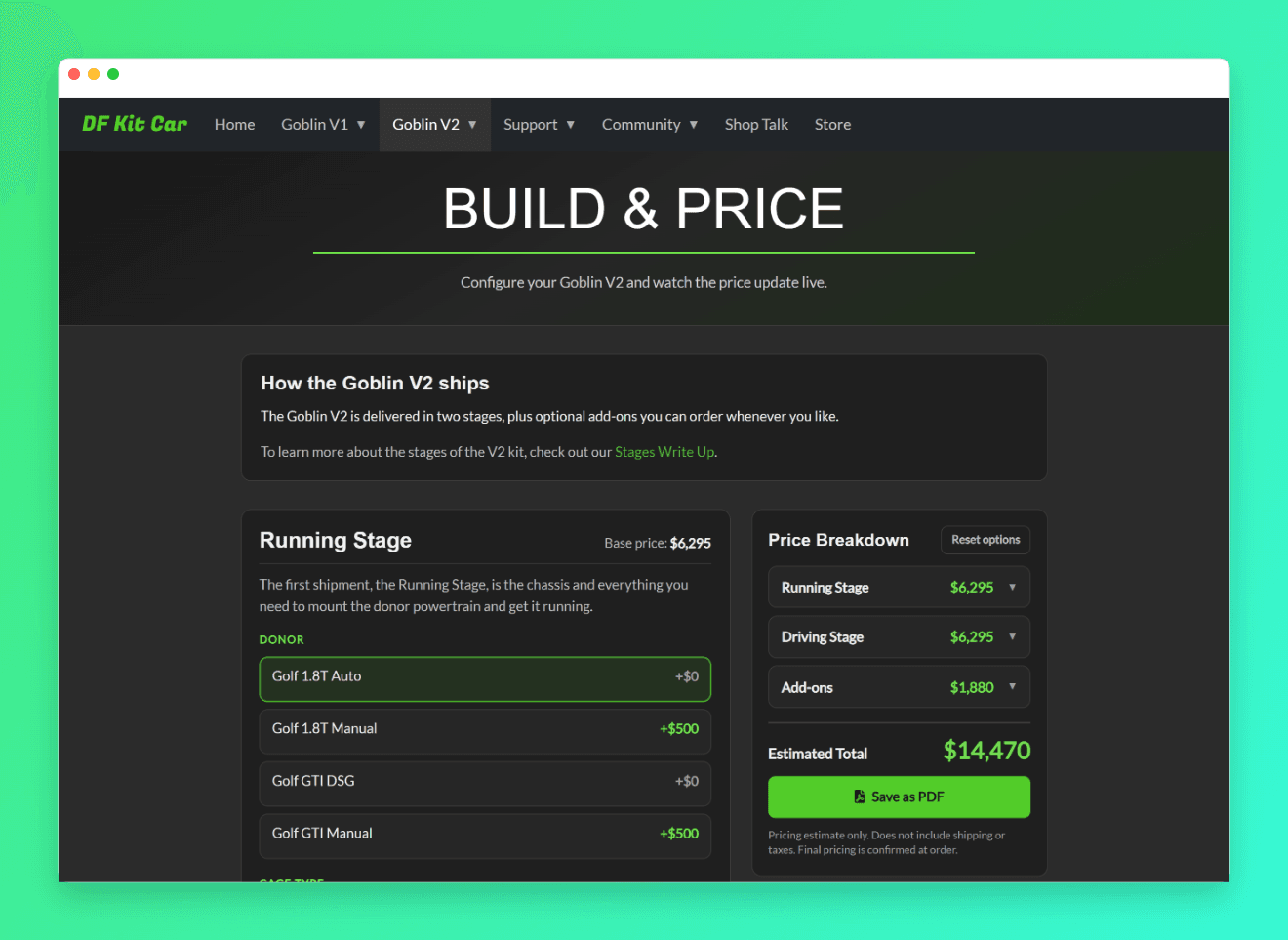
The tool is laid out the way the kit ships. You work through the Running Stage, then the Driving Stage, then add-ons, with a Price Breakdown panel on the right that keeps a running total the whole time. If you're new to how the V2 is delivered, we covered the stages and what each one includes in an earlier post.
What You Can Now See Priced
On the Running Stage, you'll see pricing for the cage options, including the Full Cage and the Full Cage with Roof Bars, plus the main hoop and rear cage X braces. More about those here: Main Hoop X, Rear Cage X, and Roof Bars
Door bars are priced out too, from Easy-Entry to Standard to Full Containment, so you can see exactly what the added side protection costs. More about those here: Door Bar Styles
The Driving Stage covers the choices that get the car on its wheels and driving. Single or double adjustable coilovers, the standard or quick-release steering wheel, air-to-air or air-to-water intercooler, and the FX1 Pro seats in three sizes are all there with pricing.
Add-ons are where you finish the car your way. Nose styles, side panels, the engine cover, lights, windshield options, and more, each priced so you can mix and match by goal and budget.
See the Price for Each Stage
The Price Breakdown panel splits the cost by stage so you're not staring at one lump sum. You can see what the Running Stage runs, what the Driving Stage adds, and what your add-ons come to, then how it all lands on the estimated total.
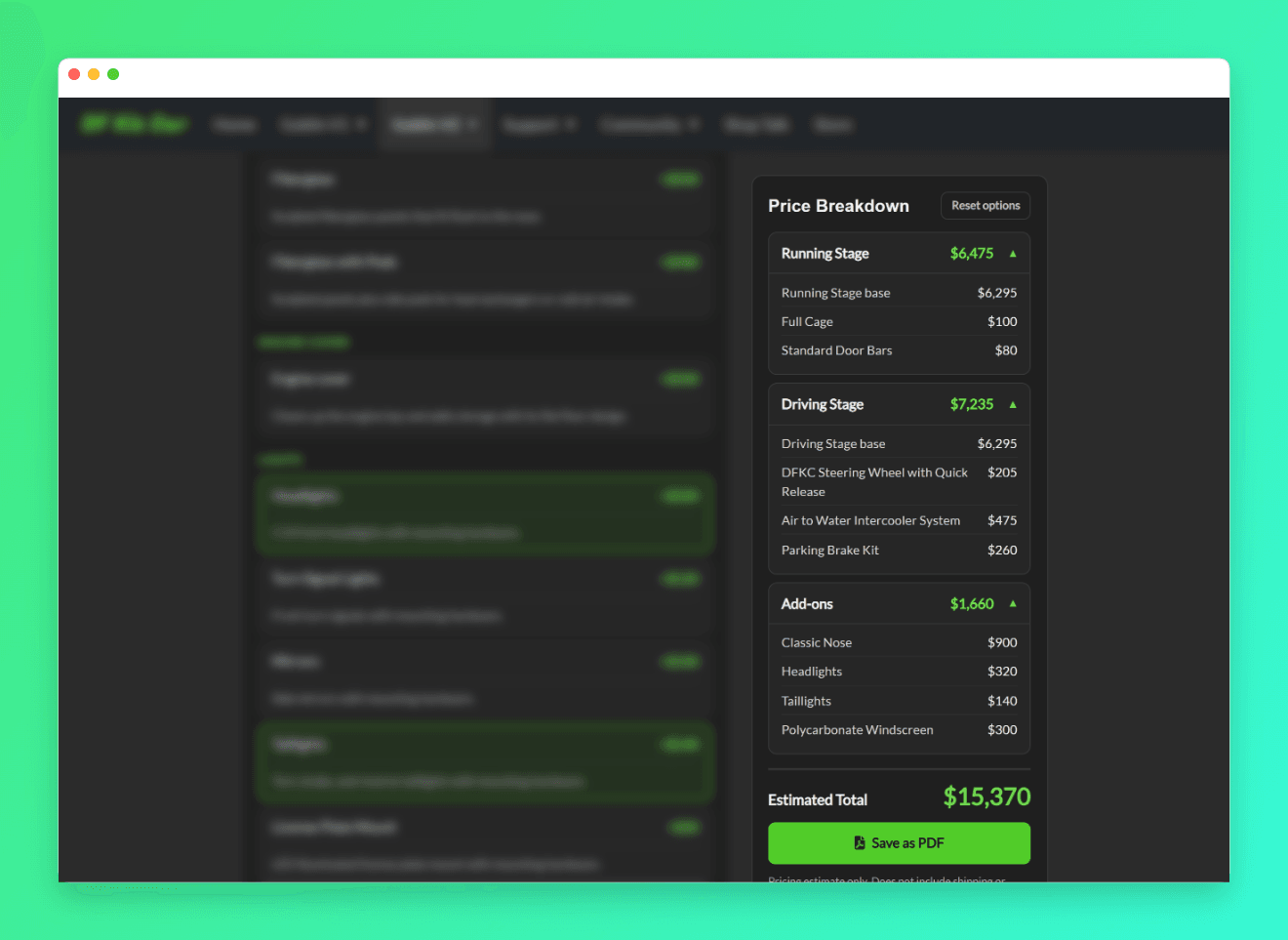
Breaking it out this way makes it easy to plan around how the kit ships, since the Running Stage and Driving Stage arrive as two separate shipments.
Save a PDF Copy
When you've got a build you like, click Save as PDF. The tool generates a clean Price Sheet you can keep for reference or send to someone else.
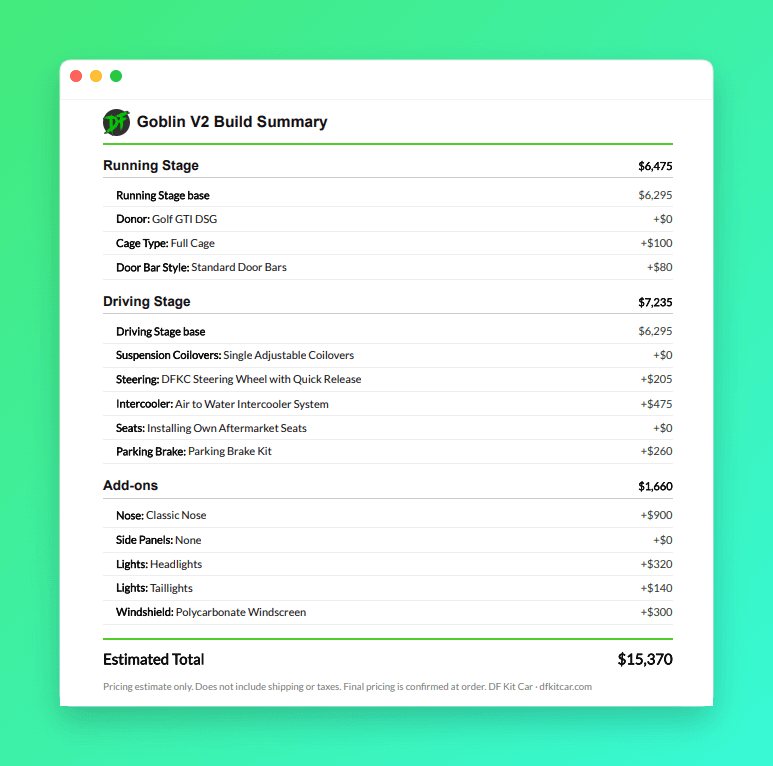
It's handy for coming back to a build later, comparing a couple of configurations side by side, or talking it over with someone before you order.
Go build one and see what your Goblin comes to.